For an overview of the feature, see What are Group Programs?. For setup instructions, see Creating and Customizing a Group Program.
Program Design and Group Size
How many participants can a Group Program support?
Group Programs are designed around live group health coaching standards set by the National Board for Health and Wellness Coaching, which recommend live sessions with groups of 6-12 people. This size supports rapport, collaboration, and commitment among members. However, programs can include cohorts of any size.
Can members choose between live and recorded options?
Group Programs are built for live coaching sessions, with coaches marking attendance to show whether members completed them. If you want to offer both formats, a common approach is to ask members up front to choose one: Group Programs for live participation and Habit Builders for recorded or self-paced participation.
Registration and Eligibility
How do members register?
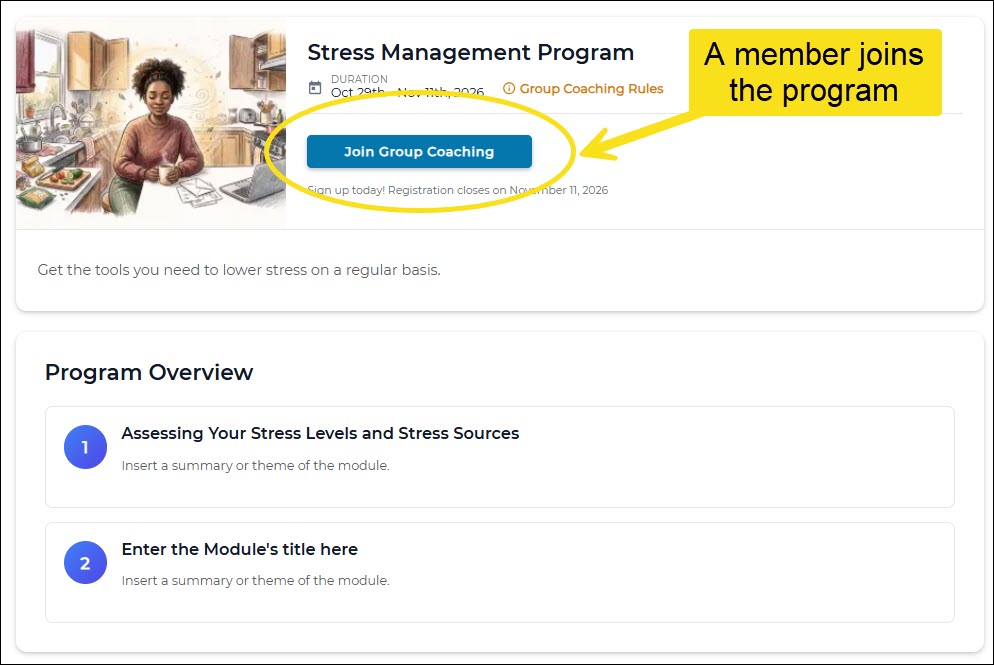
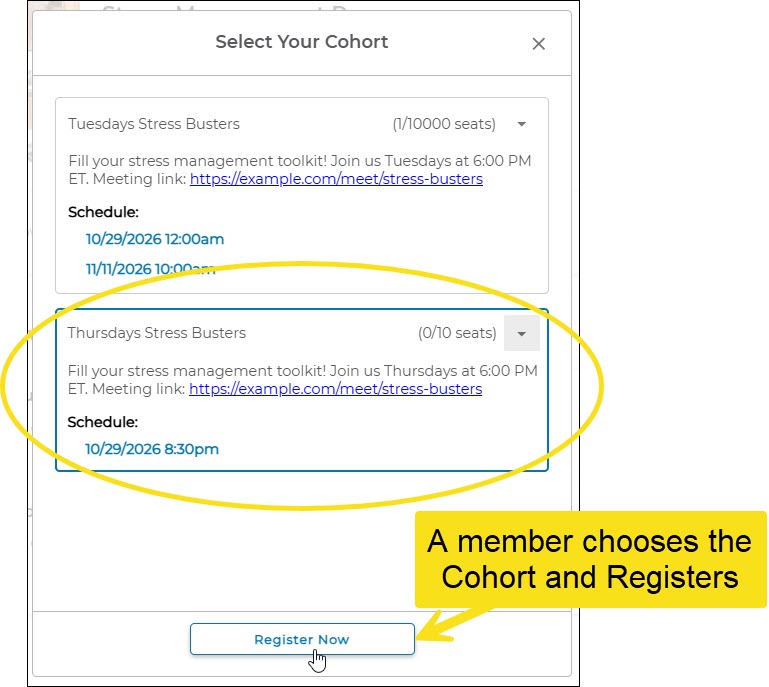
Members register from the portal by selecting the program and choosing a cohort. This takes two clicks, because members need to select which cohort they want to join. The schedule shown after they click is for the cohort they selected. There is no separate registration link to send. Members access the program through the portal (through SSO if your portal uses it), register, and then can view the program’s modules and details.
Can I restrict registration to eligible participants?
Yes, in two ways:
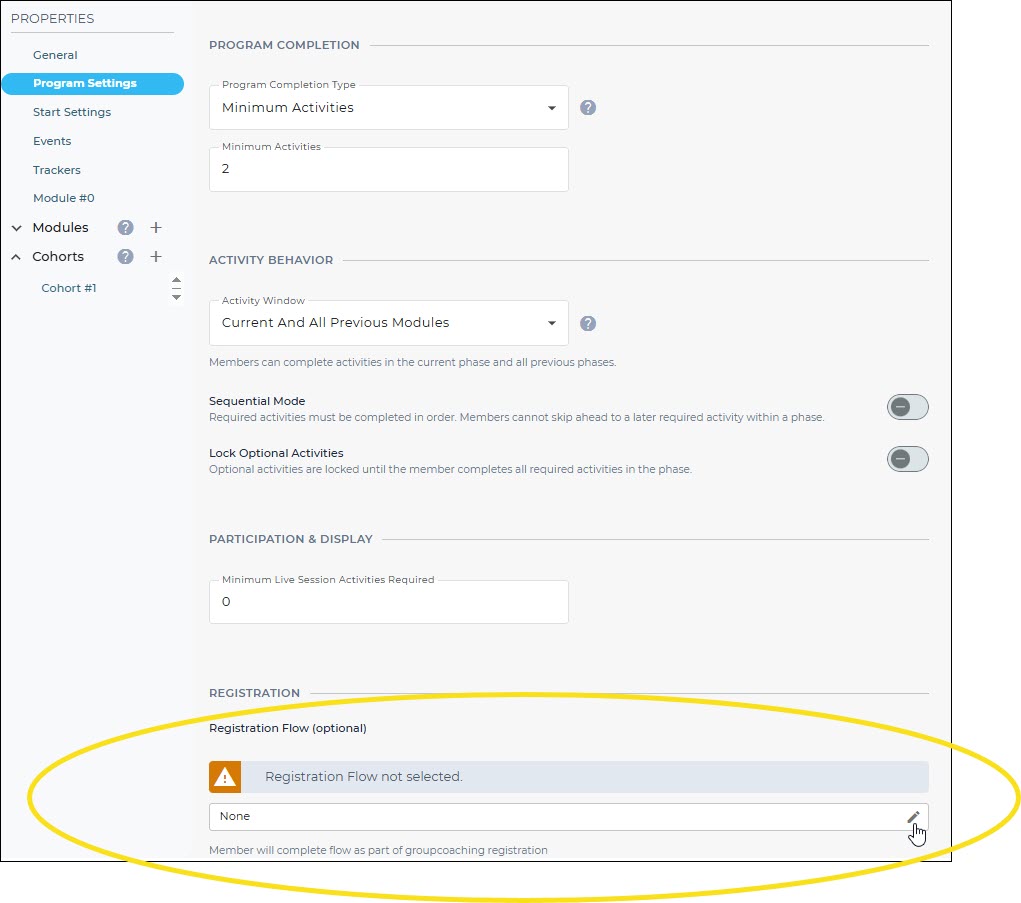
- Registration flow--In the program’s settings, attach a registration flow with a question component that asks members to confirm they belong to the intended group. This is the best option for private or in-person programs.
- Conditional logic--On a page or in a section, use conditional logic to show the program’s tile only to members who meet your criteria (for example, by portal group or custom field). This requires that the eligibility value already exists on the member’s record.
Can a member unregister and register again?
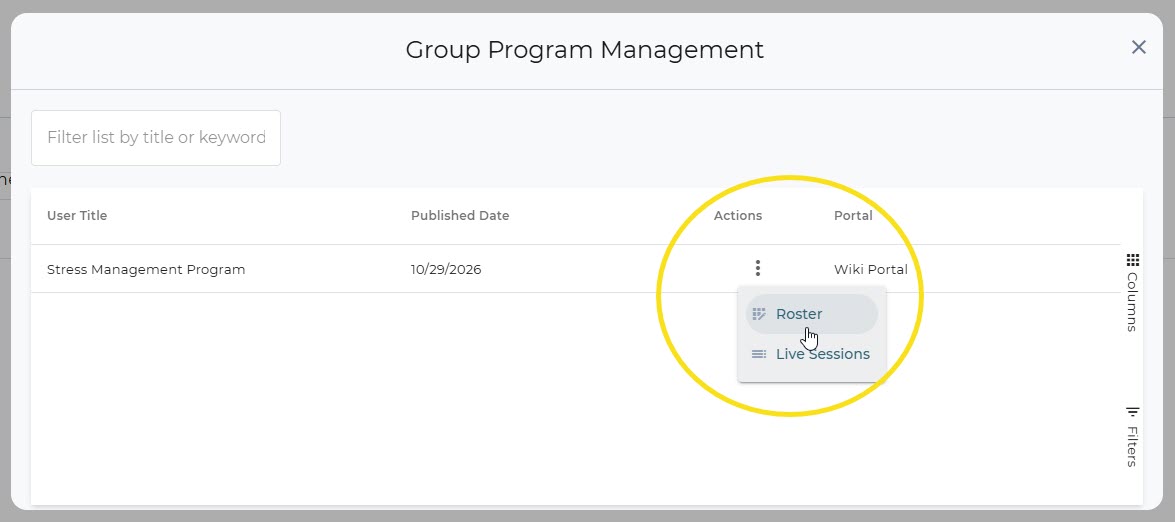
Yes. Coaches can see who is currently registered on the program roster. At this time, the system shows only registered versus not registered. It does not keep a history of when or by whom a member registered or unregistered.
Modules and Completion
Do members need to complete a module for the next one to open?
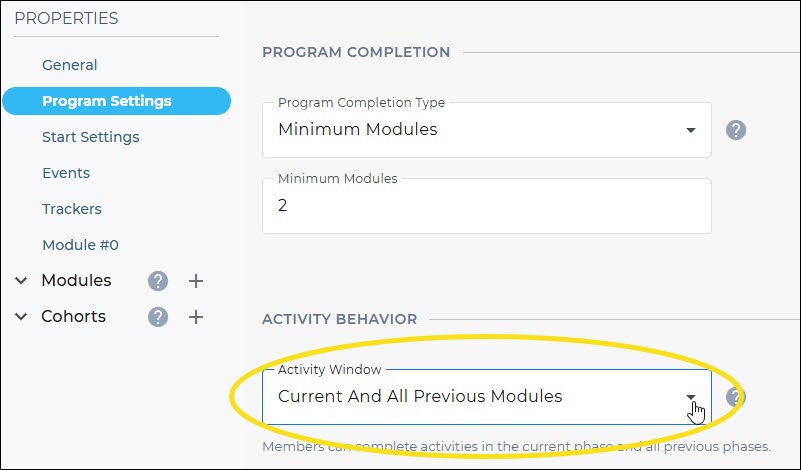
No. Modules are calendar-based. Each module opens automatically when the previous module’s duration ends, based on the program start date and the number of days you set for each module. Members move forward with the group regardless of their activity. If the Program's Activity Window is set to enable current and previous/all previous modules, then m embers can still go back and complete earlier activities.
Does every module need a custom page?
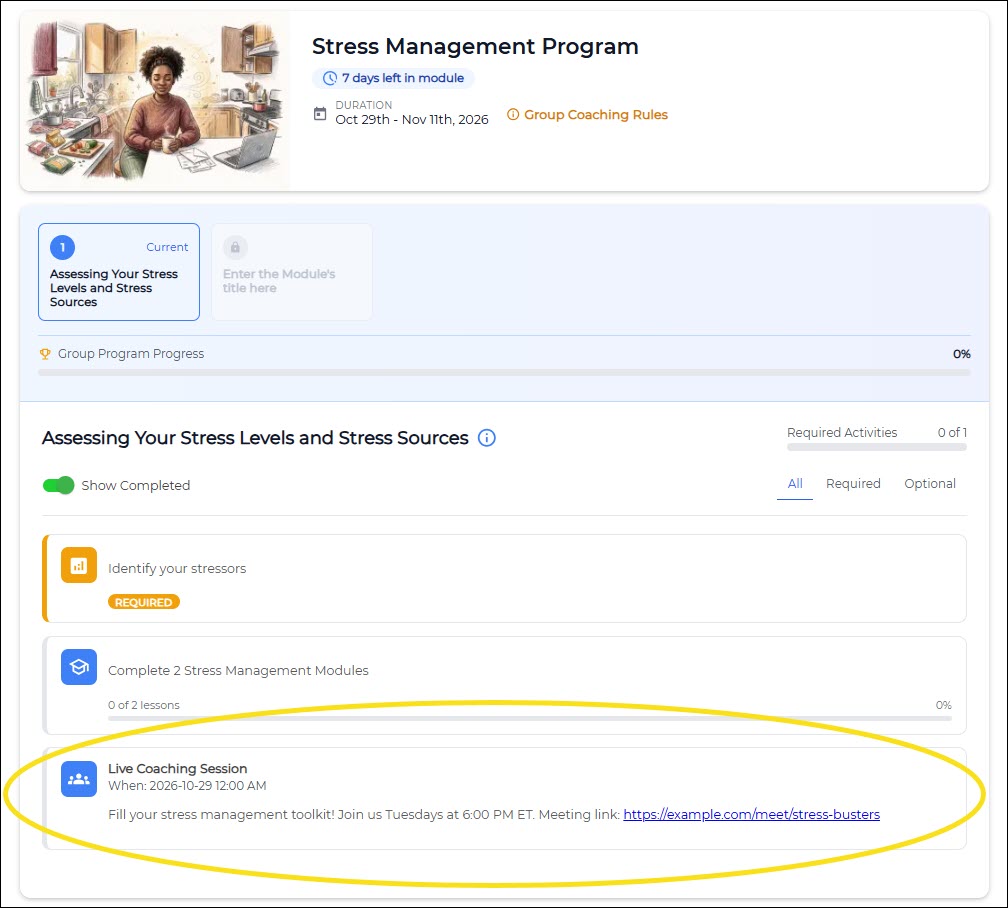
No. Custom pages are optional. Each module automatically displays its activities and any live sessions scheduled for the member’s cohort.
Where does the video meeting link go?
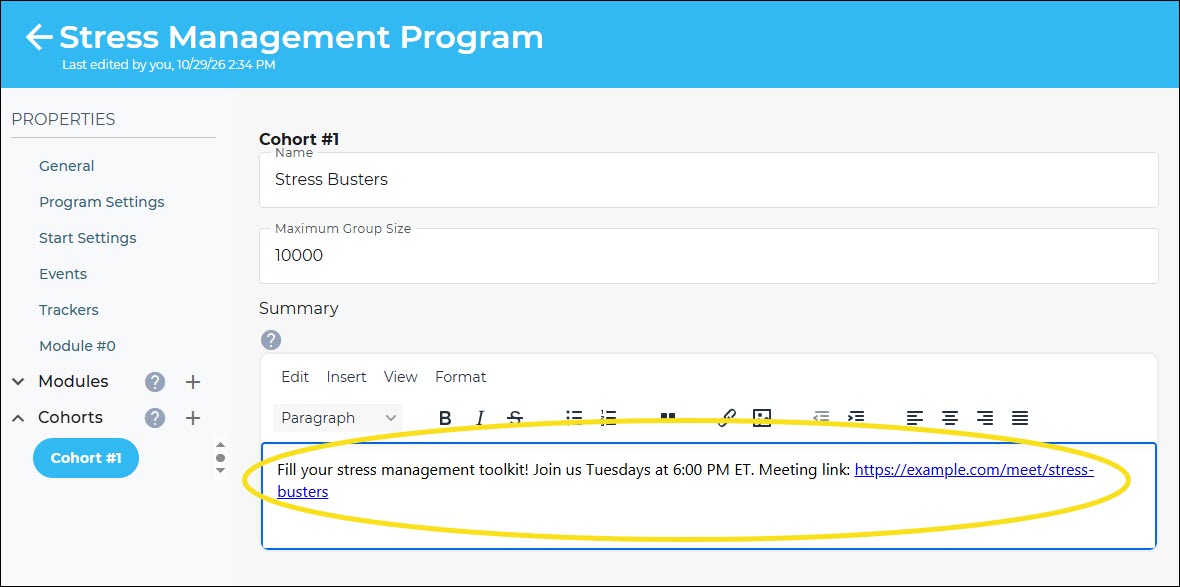
Add it to the cohort summary. Live sessions you schedule for a cohort (dates and times) automatically appear in the module as an activity, along with the cohort summary, when members view the program.
Member View
Does each module need an activity?
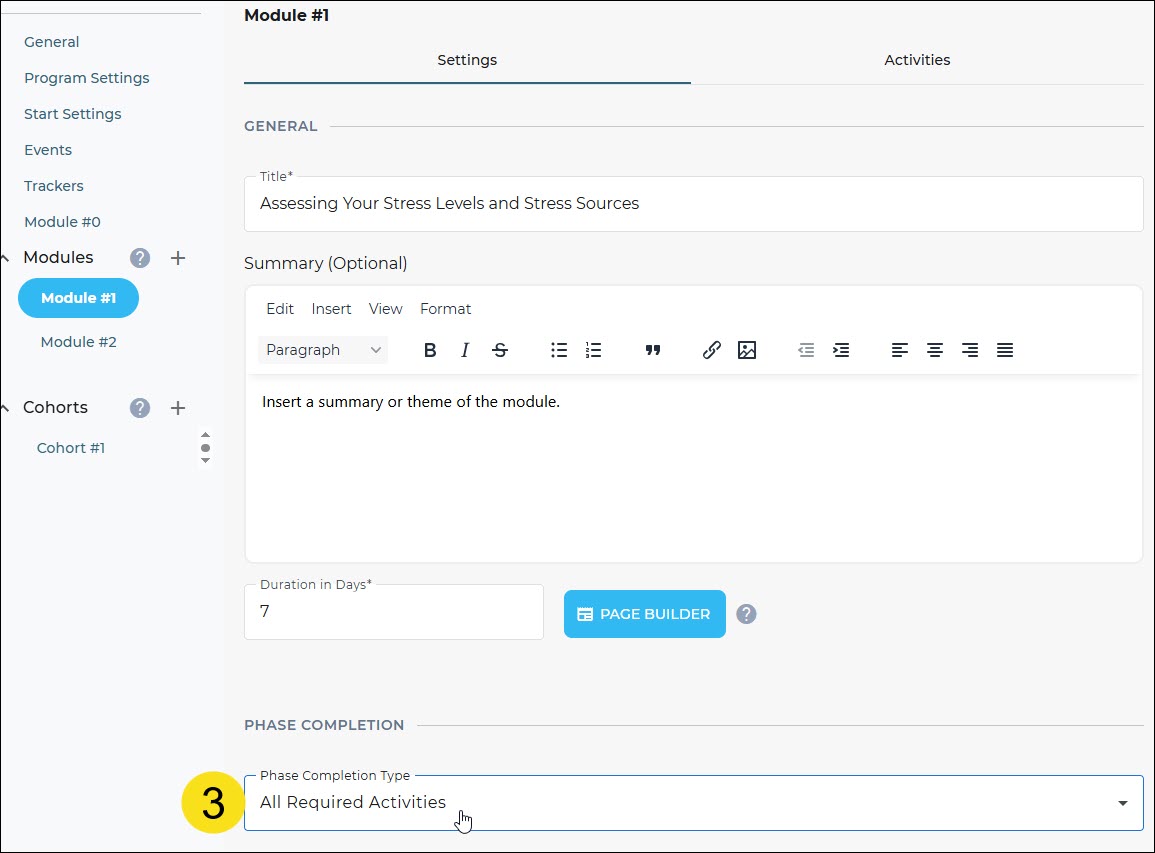
Yes. Module completion is based on activities (minimum activities, all required activities, or all required plus a minimum number of optional activities), so each module needs at least one activity, independent of any live session that may be included.
How is program completion determined?
Completion depends on:
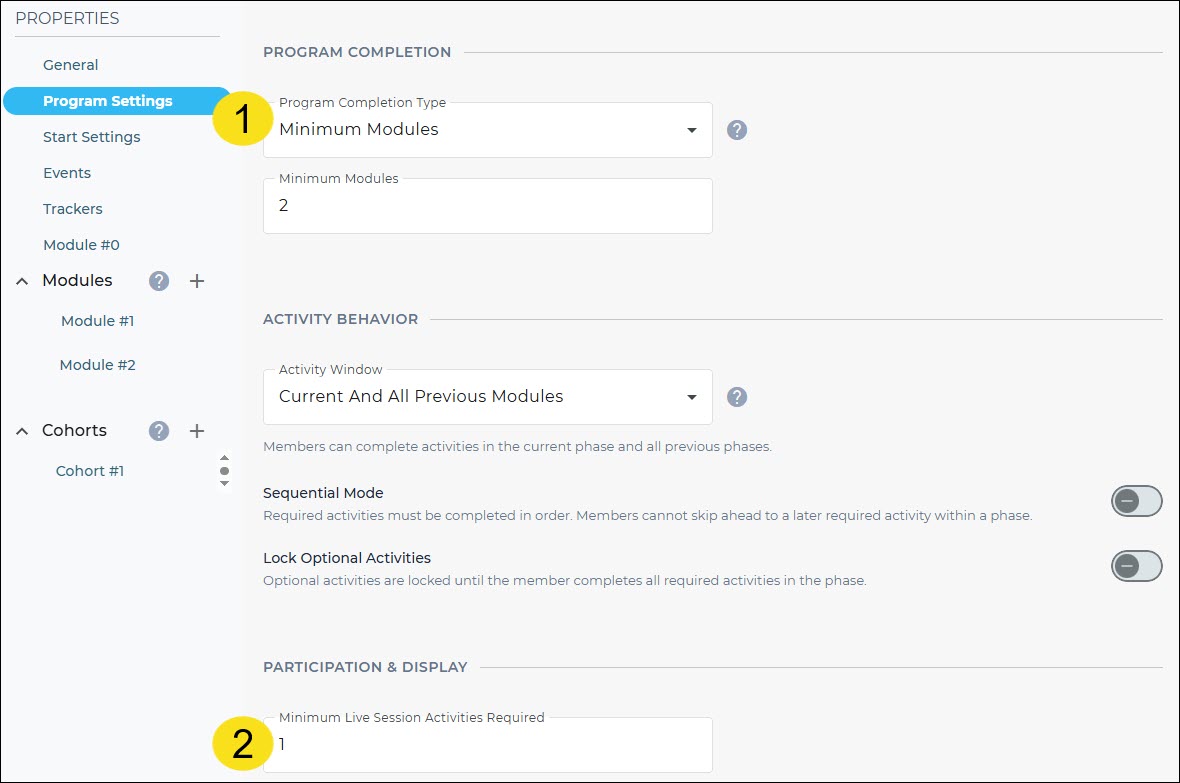
- The Program Completion Type you select (Minimum Activities, Minimum Required Activities, or Minimum Modules)
- Optionally, a minimum number of live sessions a member must attend (set in Program Settings)
- The Completion Type for each module
How does “Minimum Modules” work?
It lets you require fewer modules than the program contains. For example, a program with 6 modules could require members to complete only 4.
Does marking attendance move a member to the next module?
No. Progression is date-based. Attendance counts toward completion only if you’ve set a minimum number of live sessions in Program Settings.
Can I count a recording as a live session?
Attendance is marked by coaches for live sessions. If you have previously recorded webinars, you can add them as an activity to a module. For new recordings created after publishing, send them to members by email; they would be separate from the program.
Post-Program Assessments and Follow-Up
Can I send an assessment after a specific session or module?
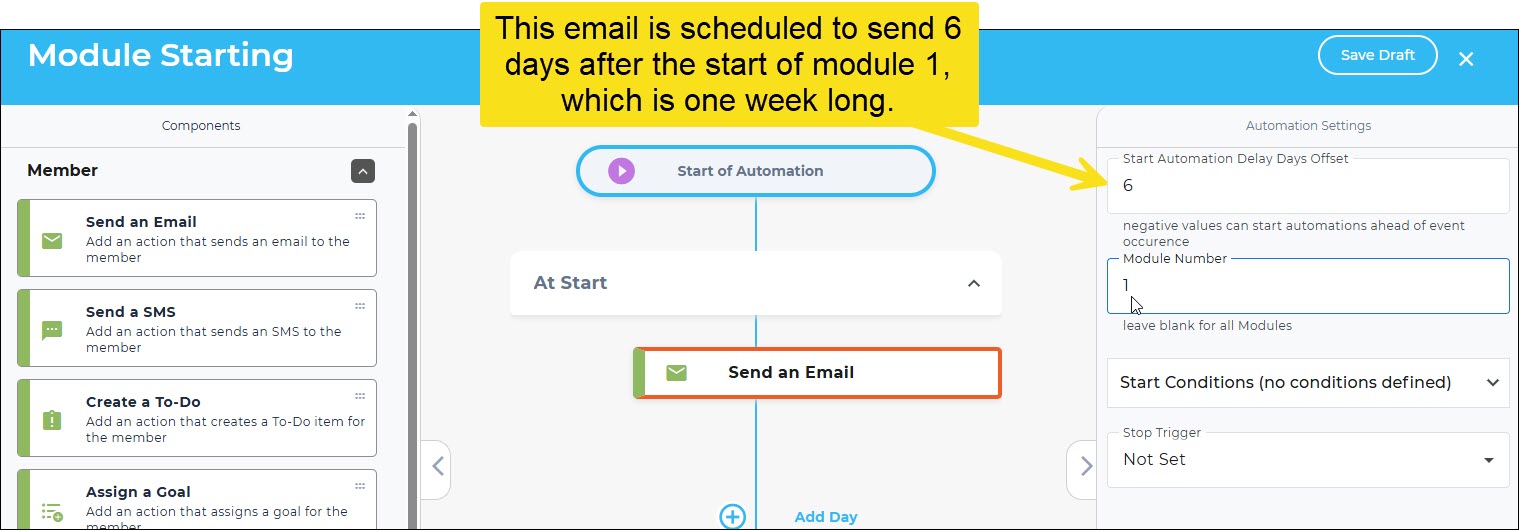
Yes. Use a module event. In the Events section, add a Module Ending (or Module Starting) event, set how many days before or after you’d like it to run, and add a component (like Send Email) that links to your assessment flow. For example, setting the automation to run 1 day before the module ends sends the assessment right before the next module begins.
Does attendance need to be marked for the assessment to be sent?
No. Event automations send to everyone in the program.
What if I only want members who attended to receive it?
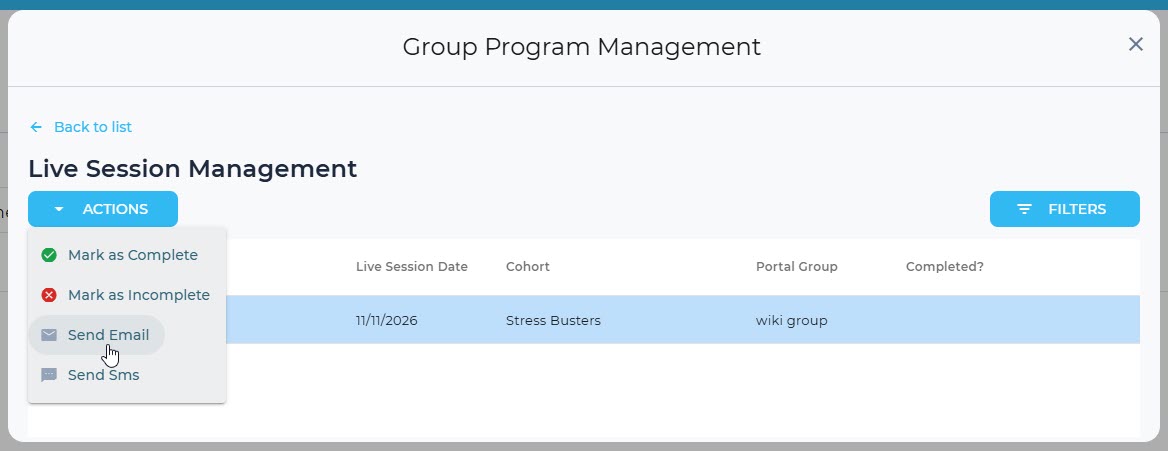
The coach can go to Group Program Management, filter for members who attended the session, and send a bulk message.
Attendance Tracking
How do I track attendance?
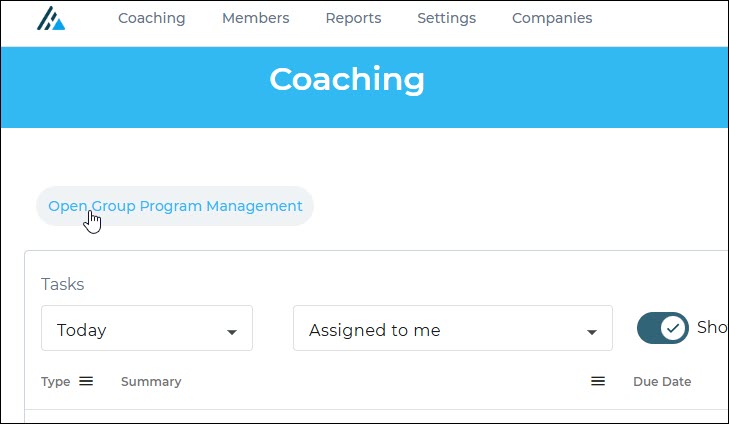
From the coaching dashboard, open Group Coaching Management, filter to the cohort you want, and mark attendance from there.
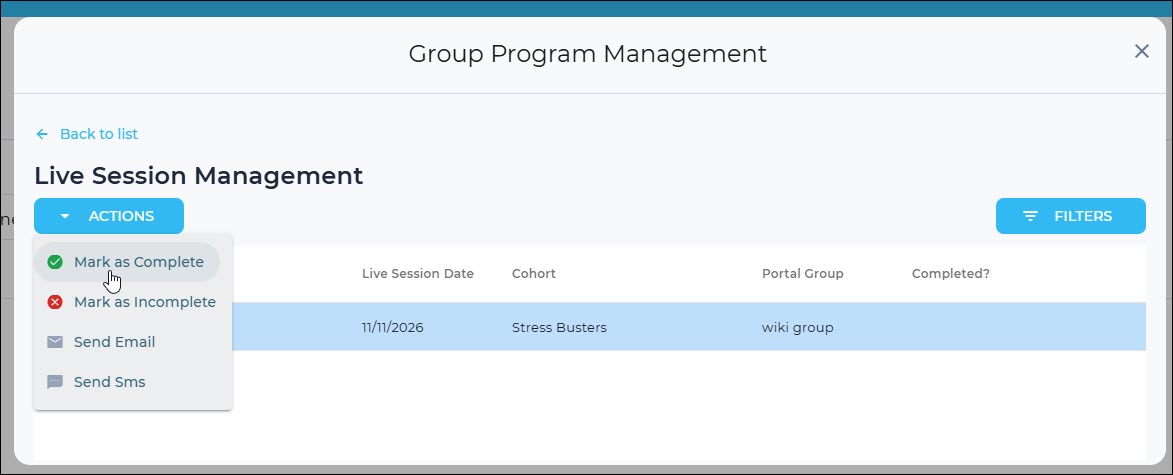
Does each participant need to be marked individually?
Attendance is marked per member, but bulk options are available. A time-saving approach is to select all participants at the top of live session management and then uncheck the exceptions. You can also filter by cohort.
Can I upload an attendance file?
Not at this time. Attendance is managed through the coaching dashboard.
Can I change a member’s attendance status later?
Yes. You can toggle attendance between complete and incomplete, for example if a coach selected the wrong status, as long as it’s within the program’s activity window (before the Activity End Date). Once the program has concluded, statuses can no longer be changed.
Reporting and Data
Can I see which coach facilitated a session in reports?
Not at this time. If you need to track this internally, one option is to keep a simple list of which coaches facilitate which cohorts.
Can I retrieve registration data?
Yes, through the Avidon API, documented at https://api.avidonhealth.com/index.html. Scroll down to open the group program APIs and expand the endpoint to see all available fields. For registration data, use the group program member list endpoint (groupprogram/member/list). Avidon member IDs are included, but the coach facilitating a session is not.
Was this article helpful?
That’s Great!
Thank you for your feedback
Sorry! We couldn't be helpful
Thank you for your feedback
Feedback sent
We appreciate your effort and will try to fix the article