The flow and assessment features are two separate features that function similarly and are most relevant for coaches who want to capture responses/data related to an individual member. Both of these features can be accessed from member dashboard menu for individual members.
After finding the member by searching in the Members section of the admin (see this article if you need to learn about member search), you are on the main member dashboard page:
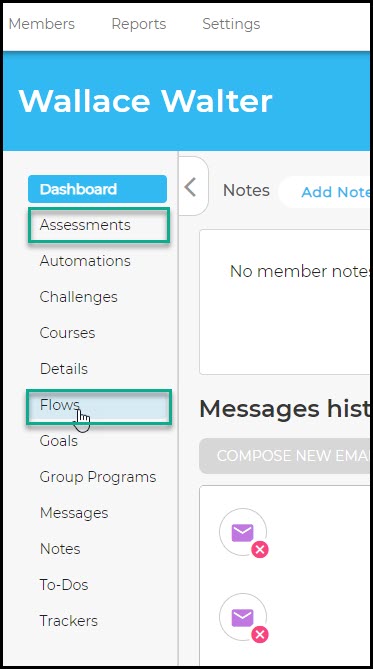
On these pages, you can do the following:
Assessments: Fill out portal-published assessments on behalf of the member; view and/or update previously recorded assessment responses; continue filling out an incomplete assessment.
Flows: Fill out portal-enabled flows on behalf of the member and view previously recorded flow responses.
Viewing Previously Recorded Responses
All flows and assessments that have been begun (regardless of whether they've been completed) are listed on their respective pages. Flows and assessments are recorded slightly differently:
- Flows are listed after they've been completed. When viewing a flow, you can see all responses that have been recorded within that flow.
- Assessments are listed by specific assessment, but because assessments are often revised and updated, you have the option to view multiple saved iterations of an assessment by date and time (if the assessment has been saved more than once). It is important to be able to see past versions of assessments because it can potentially show patterns or trends of behavior, attitude, and metrics.
Filling Out Flows and Assessments
Any flows and assessments that are enabled for the portal you are in can be selected and filled out by clicking on either the "FILL OUT ..." button near the top of the page:
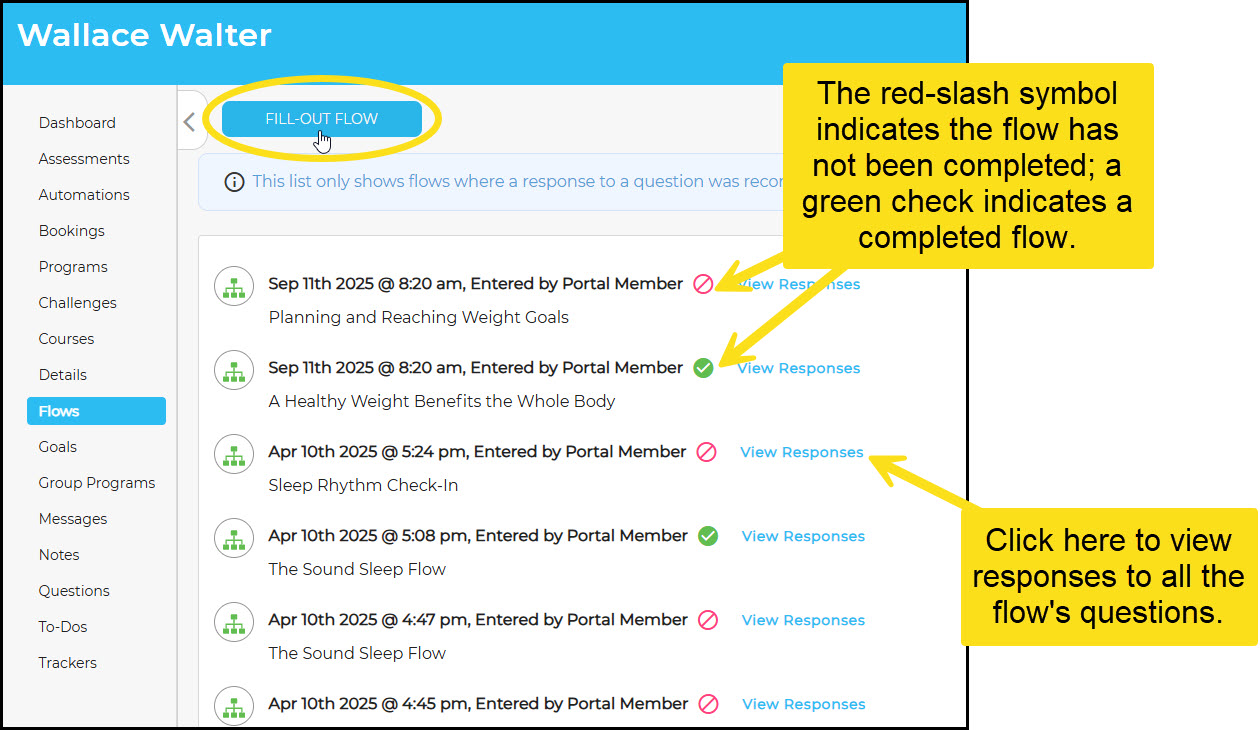
When a flow or assessment is chosen, you can go through it and can fill out responses to questions as they appear. These responses will be recorded and the flow will appear on the member's list with
When a flow or assessment is chosen that has not been started or saved previously, any data and responses will be recorded, regardless of how much is completed. In future visits, if a previously saved version is chosen, the most recent responses will appear so information can be added or updated.
Was this article helpful?
That’s Great!
Thank you for your feedback
Sorry! We couldn't be helpful
Thank you for your feedback
Feedback sent
We appreciate your effort and will try to fix the article