This article explains the different event types logged in the Avidon system as they relate to member activity within a course. These events can be viewed in the Course Event Details section in Reports.
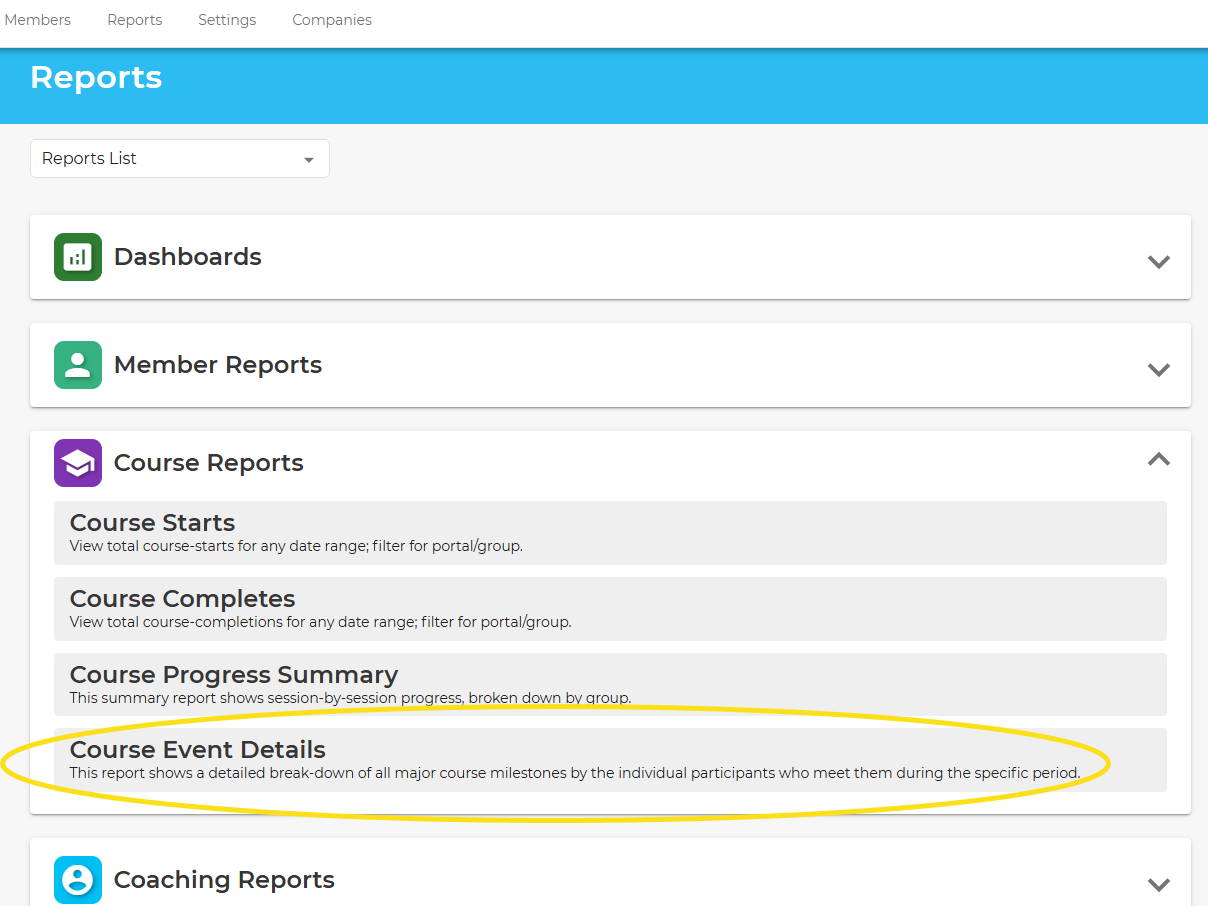
To access this report, go to the Reports section in the admin, expand the Course Reports tile, and click on Course Event Details:
There are three event types:
Course Started
This event is when a member begins a course; this event is logged when the member has clicked the "Start Now" button.
Course Completed
This event is when a member officially completes a course. Completing a course means that the member has finished the last segment of the last session, which is a "congratulations" message.
Course Restarted
This event is recorded when a member who has previously started a course chooses to restart it. Members usually restart a course for one of two reasons:
- They started the course and went too long without being active and cannot continue without restarting.
- They have decided to repeat the course, perhaps to increase understanding of important concepts or to refresh their commitment to their lifestyle change.
How to Run the Report
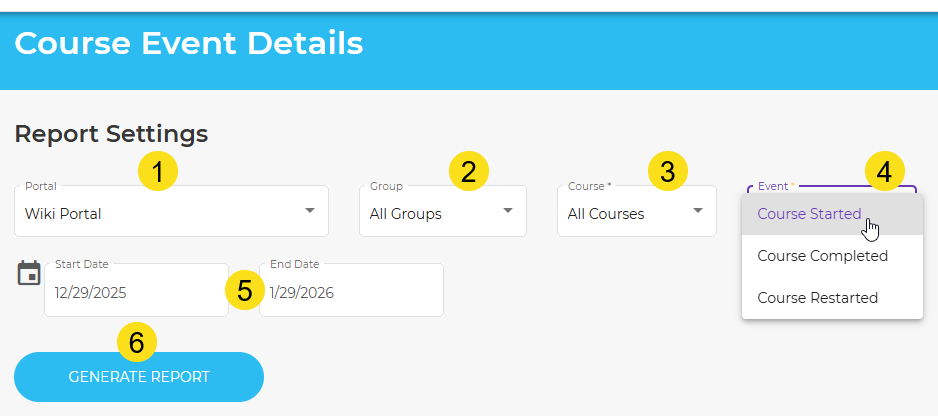
- Choose the portal to run the report for
- Choose the group
- Choose the specific course or choose All Courses
- Choose the event type
- Choose the date start and end range
- Generate the report
Was this article helpful?
That’s Great!
Thank you for your feedback
Sorry! We couldn't be helpful
Thank you for your feedback
Feedback sent
We appreciate your effort and will try to fix the article